14 Live Stream Video Ideas to Boost Brand Marketing

14 Live Stream Video Ideas to Boost Brand Marketing

Live streams have seemingly taken over the internet by storm. With the engagement and interactivity, viewers are motivated to tune in to the live broadcast. Regardless of video content, it’s highly possible for it to be done as a live stream rather than a video production project.

Continue reading “14 Live Stream Video Ideas to Boost Brand Marketing”

Why You Should Use Instagram Live to Engage with Your Audience

Why You Should Use Instagram Live to Engage with Your Audience

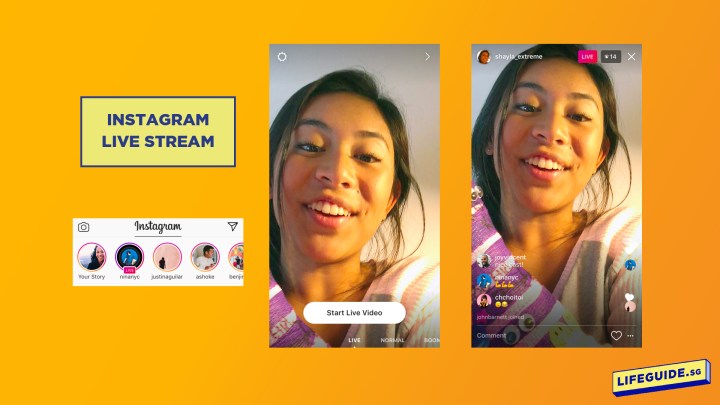
Instagram live streams are the best way to really talk to your followers and boost brand engagement. But there lies the question, what should your live stream be about? In this article, we discuss the different types of broadcasts you could do with the different features that Instagram has.

Continue reading “Why You Should Use Instagram Live to Engage with Your Audience”

Using a Green Screen for Customised Backgrounds on Your Videos and Live Streams

Using a Green Screen for Customised Backgrounds on Your Videos and Live Streams

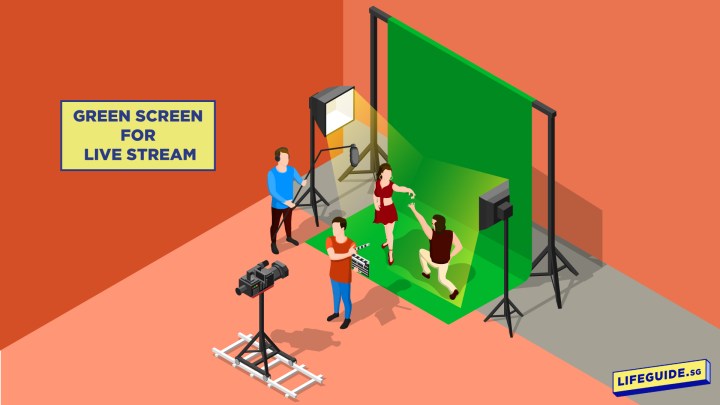
Have you ever wanted to make it look like you’re at someplace else in your videos? With a green screen, you’ll be able to give your viewers that illusion! One of the most famous visual effects techniques used by filmmakers. The green screen has been around for ages and you’ll commonly find them used for action movies, news channels and so much more! Green screens are your access to locations all around the globe but from the comfort of your own studio, or even your home.

Continue reading “Using a Green Screen for Customised Backgrounds on Your Videos and Live Streams”

Professional Live Stream Checklist: A Guide to the Necessary Equipment and Software

Professional Live Stream Checklist: A Guide to the Necessary Equipment and Software

Live streams are great for engaging with your audience in real time. Be it a public or private stream, you’ll definitely want the best quality for your audience to have a good experience. And with the right equipment, you’ll be on the right track to giving your audience the best, professional live stream experience.

For a professional looking live stream, broadcasting directly from your phone or webcam on your computer might not achieve the best results. Be it an entertaining live stream for your followers or an educational webinar, having a good quality broadcast is the desired method to capture your audience’s attention for a prolonged period of time. Furthermore, the least you can do is provide them with a great online experience for their time.

The best equipment should be used to ensure the best quality. Seems fair right? But of course, not all of course can afford to invest in all the various (expensive) equipment. Especially not when you’re only looking to do 1 live stream for, let’s say, your Annual General Meeting (AGM).

In this case, you might want to look into video production companies that offer live streaming services to help you out! One such local company is Vivid Snaps who has experience in live streams and webinars.

If you’re new to the world of live streams and want to get started, here’s some of the equipment you’ll need for a great and professional broadcast.

Continue reading “Professional Live Stream Checklist: A Guide to the Necessary Equipment and Software”

7 Tips to Host a Webinar with Your Laptop

7 Tips to Host a Webinar with Your Laptop

Webinars are great for team meetings and conferences. With features like screen sharing, slideshows, polls and many more, it’s no wonder webinars are getting more popular. So what does it take to host a professional looking webinar? As we start to work from home, many are seeking alternative methods to give presentations and briefings to their team, clients, consumers and even students.

A webinar is an online seminar that is broadcasted usually by businesses and companies. Essentially, they are livestreams usually conducted with a webinar software. There are loads of webinar softwares out there so make sure you choose one with a plan that fits your needs. (This article has compiled a list of softwares and noted their features.) Here’s some inspiration on popular webinars you could do!

Continue reading “7 Tips to Host a Webinar with Your Laptop”